
How to install on a PC
1. | ||
"3-D Space Setup" "Install this application for:" "all users" "the current user only" "Cancel" |
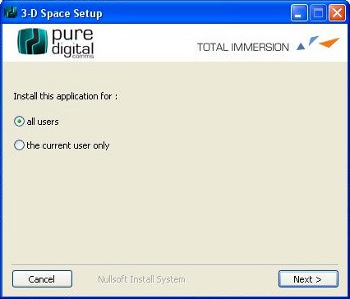
| "Next" |
| ||
"3-D Space Setup: License Agreement" "I accept the terms of the License Agreement" "I do not accept the terms of the License Agreement" "Cancel" |
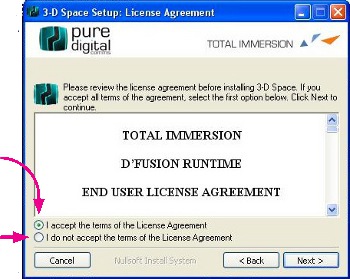
| "Please review the license agreement before installing 3-D Space. If you accept all terms of the agreement. Select the first option below. Click Next to continue." "< Back" "Next >" |
| ||
"3-D Space Setup Installation Folder" "Setup will install 3-D Space in the following folder. To install in a different folder click Browse and select another folder. Click Next to continue." "Space required" "Space Available" "Cancel" |
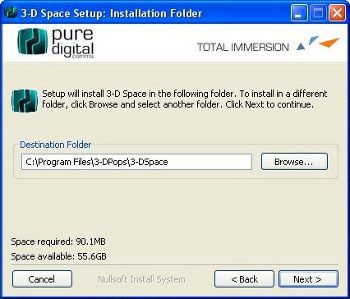
| "Browse" "< Back" "Next >" |
| ||
"3-D Space Setup Completed" "Show details" |
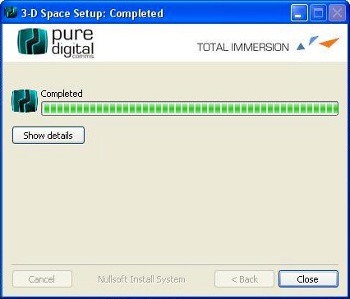
| "Close" |
| ||
"Click here to start the program" |
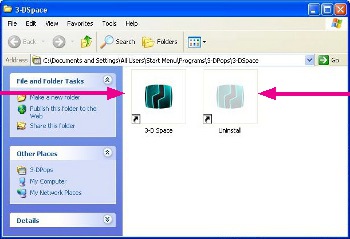
| "Click here to uninstall the program" |